Early access · opening in batches

Measure the build
your users get.

weftrun runs your release build on real devices, repeats every flow, photographs every screen and checks every journey. A change is flagged only when it clears the noise it was measured against.

See how it works ↓
  • Works with
  • React Native
  • Expo
  • iOS
  • Android
  • Maestro
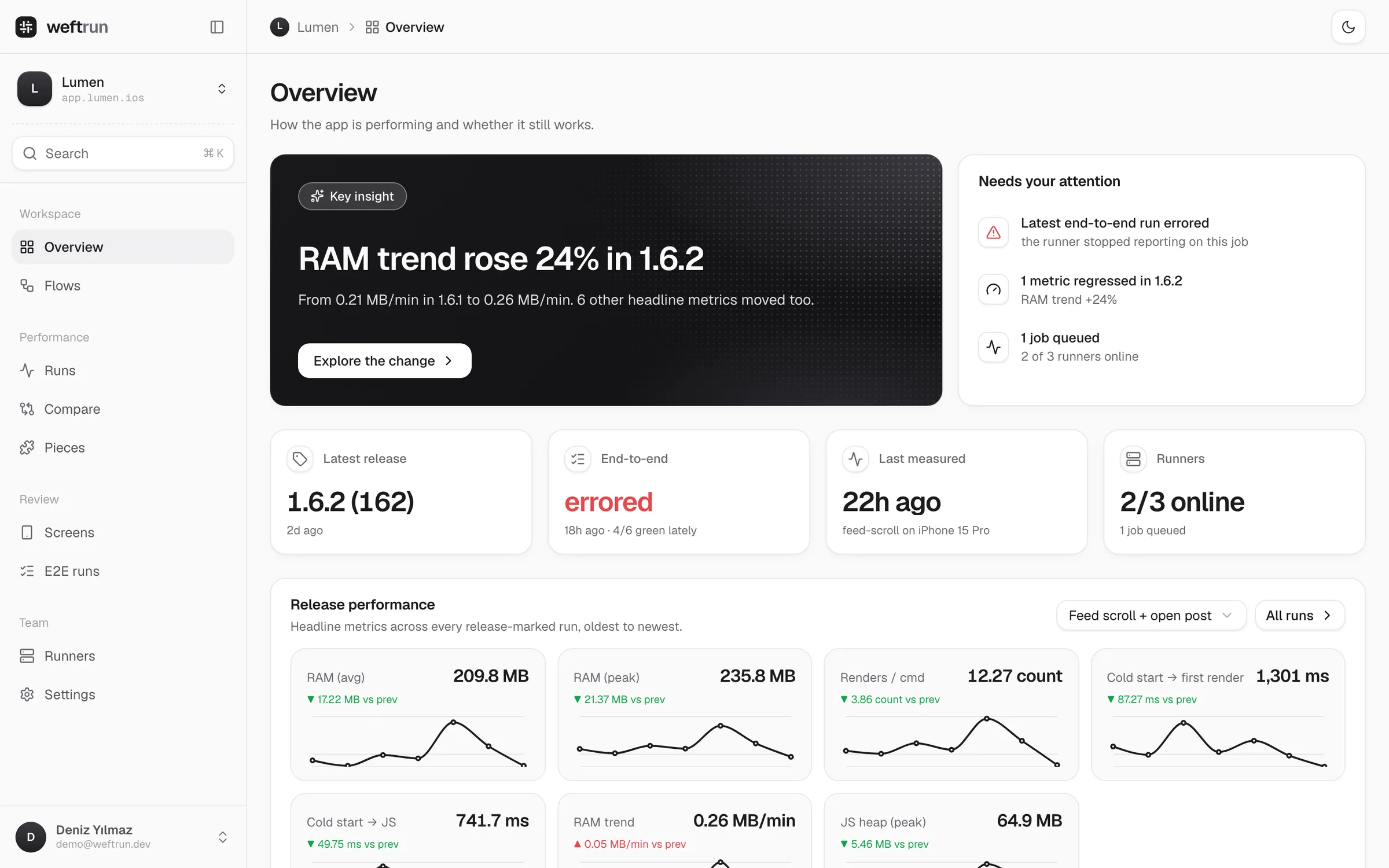
The weftrun dashboard overview for an app called Lumen: a key insight that RAM trend rose 24% in version 1.6.2, a list of things that need attention, release metrics and trend charts.

Set up in three steps.
Then just ship.

No SDK and no source changes. The CLI builds your release app, measures it and puts everything back.

  1. $ weftrun login
    ✓ Signed in to Lumen Labs
    $ weftrun apps add lumen
    ✓ app.lumen.ios · rn-maestro

    1Connect your app

    Sign in from the terminal and register the app. Your flows live with the team, so every machine runs the same steps.

  2. $ weftrun run checkout --repeat 5
    build once · install once · measure 5×
    ✓ 5 cold starts · RAM median 209.8 MB ±3.5

    2Run the release build

    Each repeat is a fresh cold start of the optimized build. The spread across repeats becomes that metric's noise floor.

  3. RAM (avg) · 1.6.1 → 1.6.2
    209.8MB
    ▼ 7.6% · clears 2σ

    3Read the verdict

    The dashboard compares the new version with the last one. Numbers turn red or green only when the move is bigger than the noise.

One place for the whole
release review.

Speed, screens and journeys, measured against the same build and compared with the version before it.

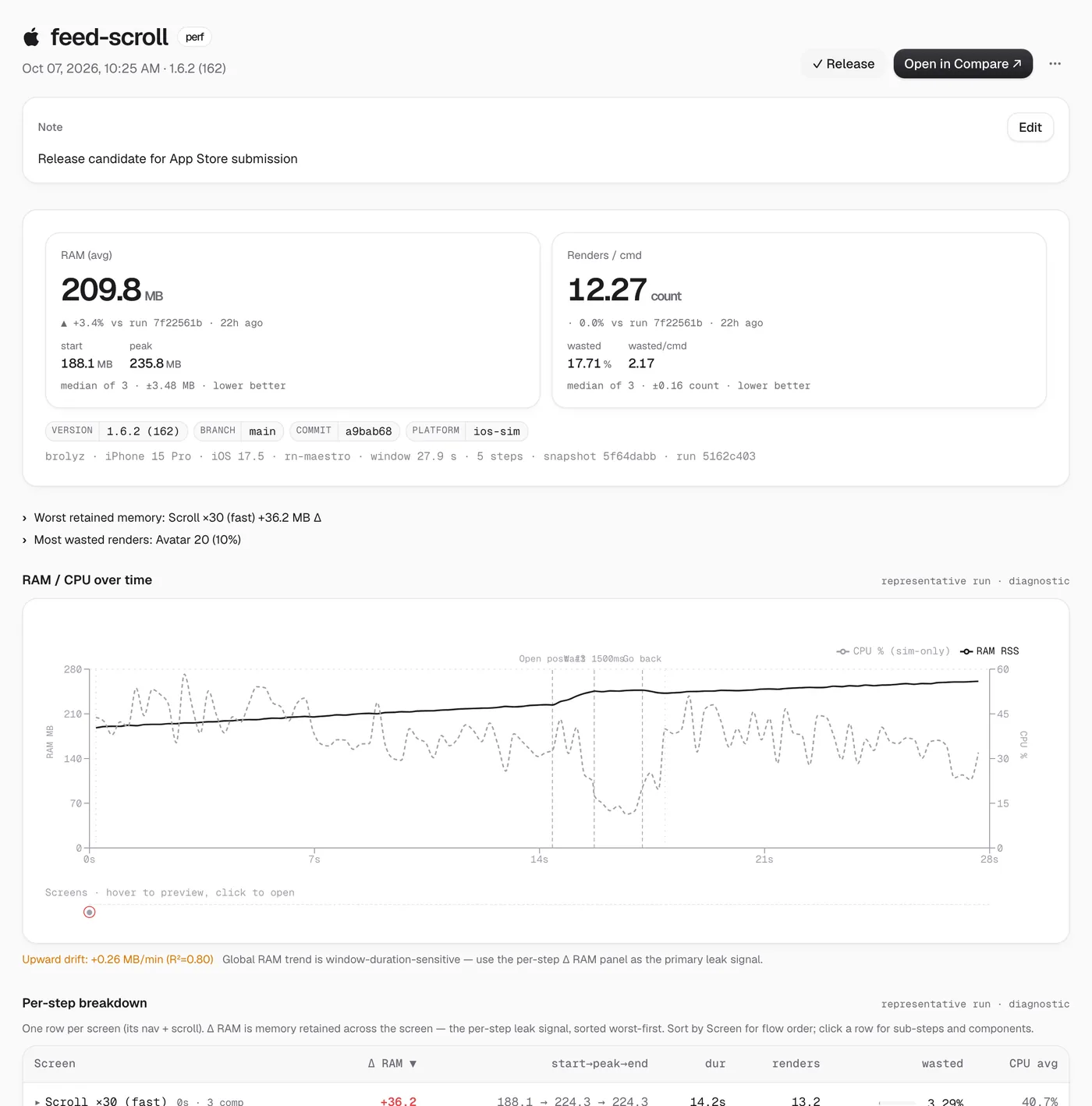
A run detail page with RAM and render metrics, a RAM and CPU timeline and a per-step breakdown.

Performance

RAM, renders, launch time and frame pacing from the production build. Each step of the flow gets its own memory delta, so a leak points at the screen that caused it.

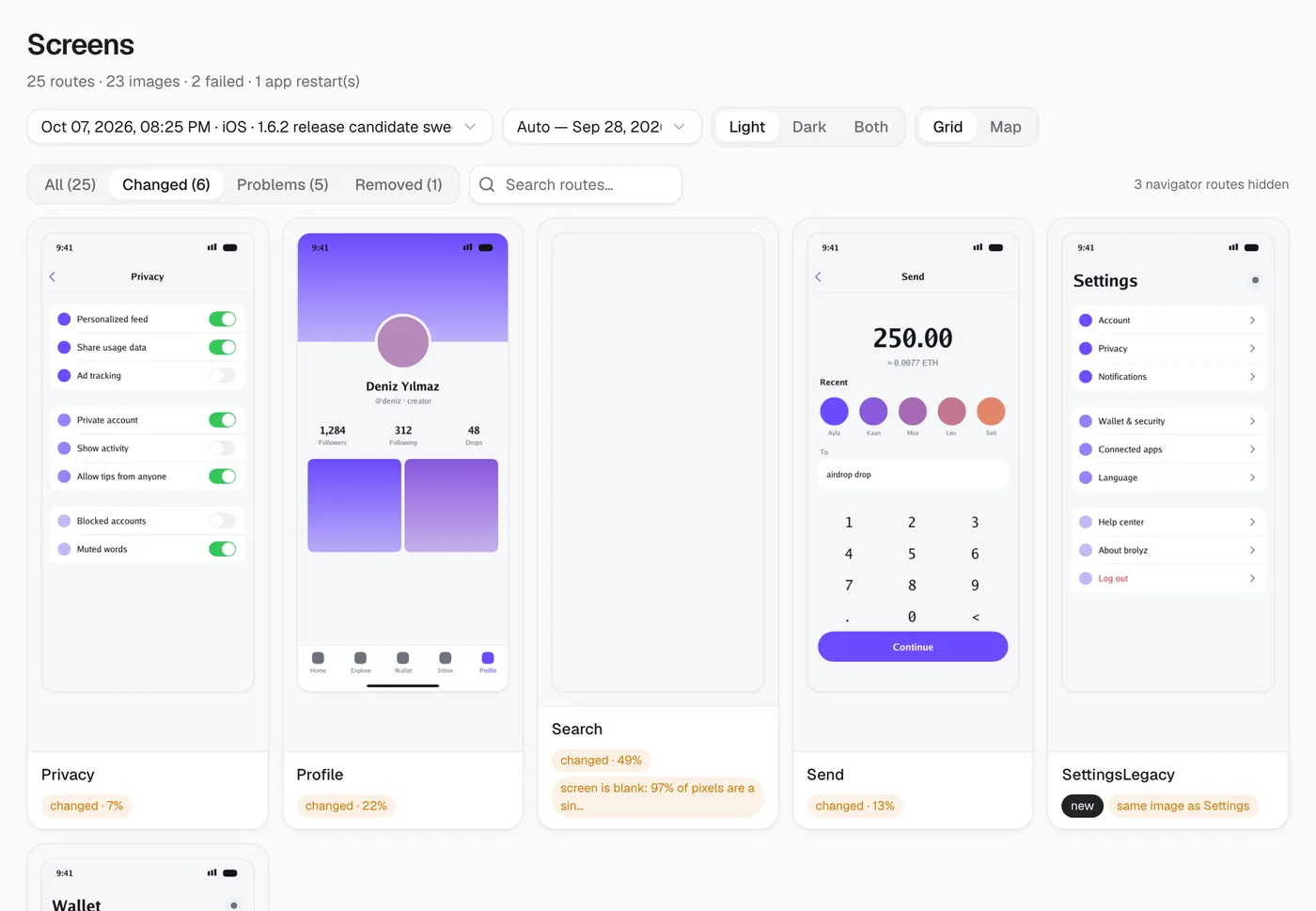
The screens catalog showing phone screenshots of changed routes with change percentages.

Screens

Every route photographed in light and dark. Changed screens come first, and a navigation that silently failed is flagged instead of shipped as a stale picture.

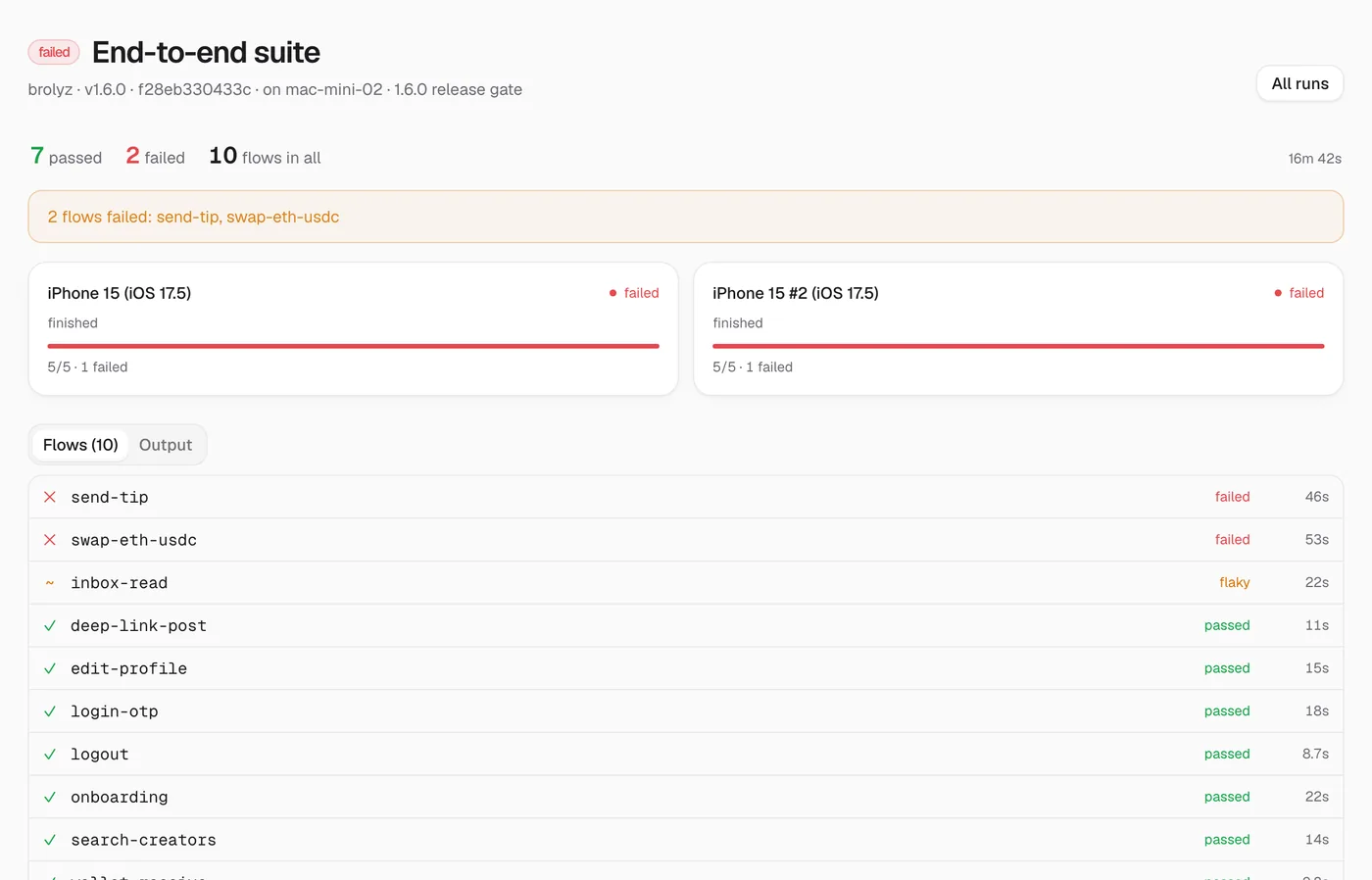
An end-to-end run with two failed flows, device shards and the assertion that broke.

End-to-end

Your Maestro flows, sharded across devices. A failure comes with the step, the assertion and the device it happened on.

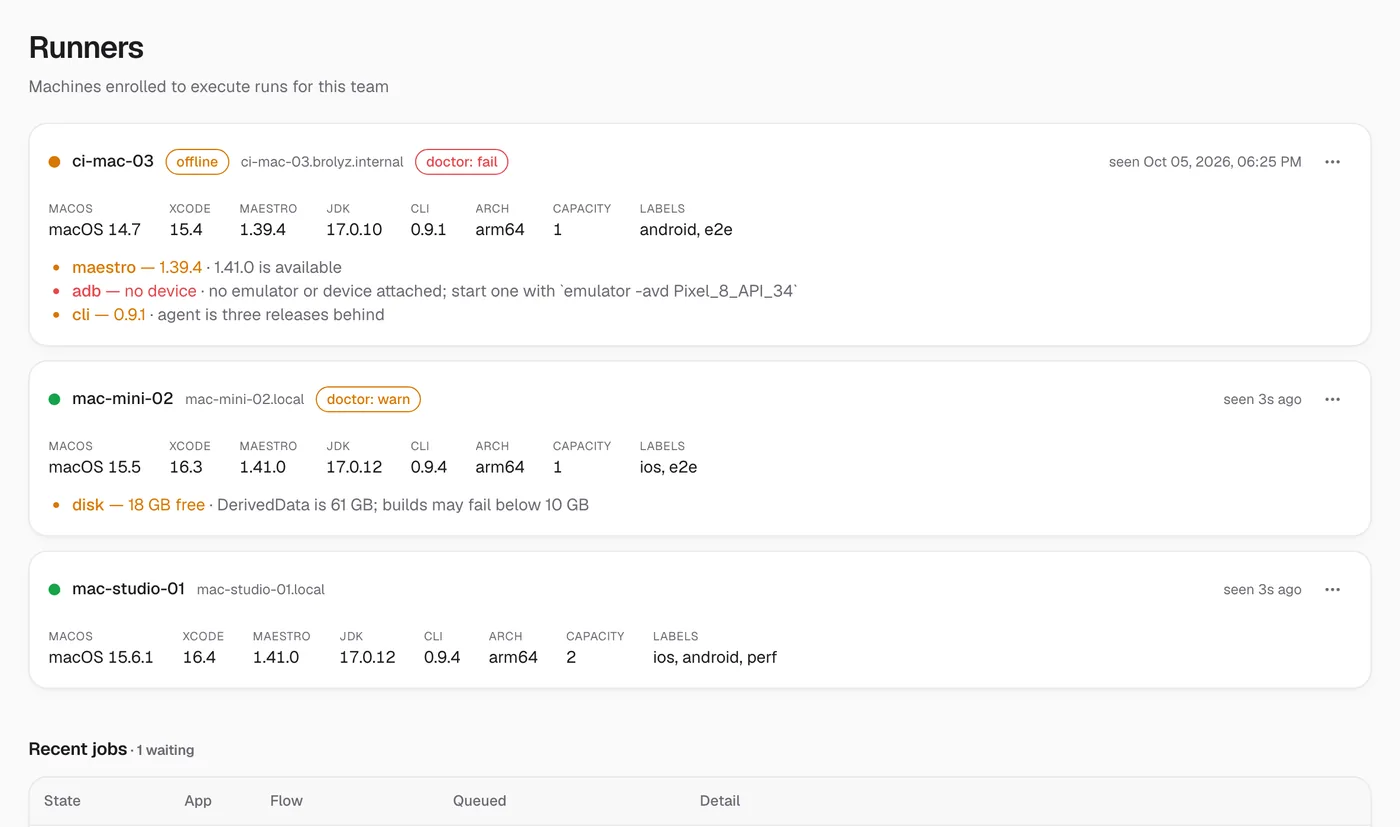
A list of enrolled Mac runners with their Xcode, Maestro and JDK versions and health checks.

Runners

Enroll the Macs you already have. weftrun checks Xcode, simulators, Maestro and disk before it hands them a job, and tells you what to fix.

Color only when signal beats noise.

Most tools flag anything over a flat 5%, which cries wolf on a noisy metric and misses a real leak on a quiet one. weftrun colors a delta only when it clears twice the standard deviation it measured. Drag the candidate below and watch where red begins.

Render count · baseline 1,847 noise floor ±196 (2σ)
+0.0% within noise
2σ
below 2σ stays gray above 2σ is a regression
  • No source changes

    Instrumented at build time and reverted when the run ends. Your repo stays clean.

  • Cold start, every time

    The app is terminated between repeats, so caches from the last run never flatter the next one.

  • Memory per screen

    Retained memory is measured per step, so the number holds whether the run lasted 30 seconds or two minutes.

  • Refuses unfair diffs

    Different device, OS or simulator? weftrun says the runs aren't comparable instead of guessing.

Simple pricing.

Free while you try it on one app. Team when the whole release depends on it.

Free

$0

For one app and a few runs a month.

  • 1 app
  • 5 runs a month
  • Public dashboard

Team

Most teams
$29a month

For teams that gate every release on it.

  • Unlimited runs
  • Private CI gating
  • Fingerprint-matched baselines
  • Priority support

Questions

What does weftrun measure?

Memory, render counts, launch timings, JS heap and frame pacing for each flow you define, plus a photo of every screen and the result of every end-to-end journey.

Do I have to change my app's code?

No. weftrun instruments the release build when it is built and reverts every change when the run ends. There is no SDK to add.

Why repeat each flow?

A single run can't tell a real change from a noisy one. Repeating gives every metric its own spread, and a delta is only colored when it clears twice that spread.

Which apps does it support?

React Native apps on iOS and Android today, Expo included. End-to-end flows use Maestro.

Where do the runs happen?

On Macs you enroll as runners, or on your own machine through the CLI. Results, screenshots and logs upload to your team's dashboard.

When can I start?

Access opens in batches. Join the waitlist and we'll email you when your seat is ready.
Measure the next change.

Join the waitlist and we'll email you the moment your seat is ready.

Free while in beta · one email when your seat opens

Early access

Join the weftrun waitlist

We'll email you the moment your seat opens. One message, no spam.

Free while in beta · unsubscribe anytime